

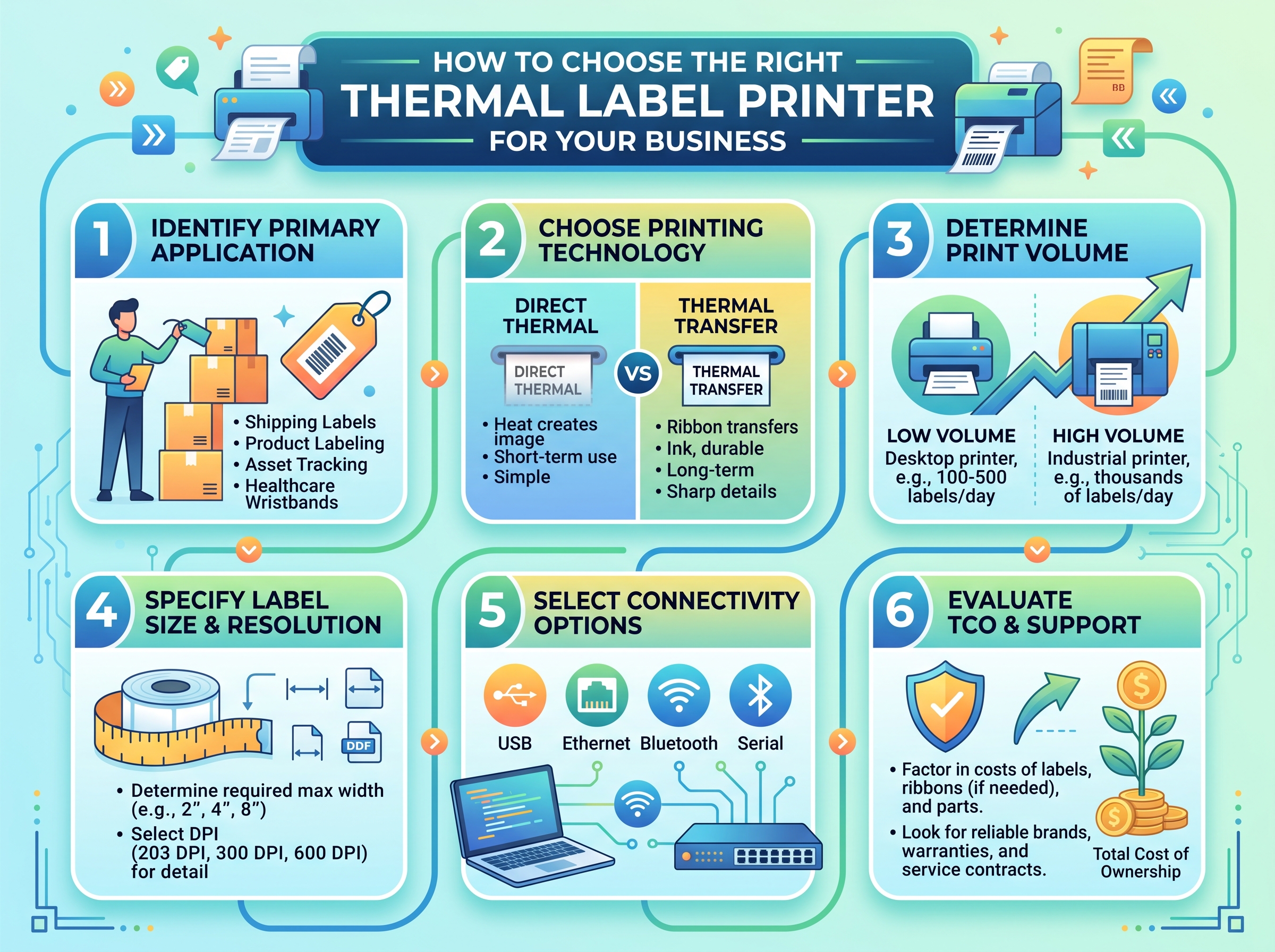
Choosing printing equipment for your business requires more thought than comparing prices or maximum printing speeds. The right device should match your label sizes, daily workload, printing method, software, and working environment.
A thermal label printer can support shipping, inventory, retail, manufacturing, and other business tasks, but different models serve different needs. Before making a decision, consider how you plan to use the printer and what your labeling workflow looks like.
Start With Your Labeling Needs
The first step involves identifying what you actually need to print. A business that produces shipping labels has different requirements from a manufacturer printing durable product or asset labels.
Make a list of your common label types and note their sizes, materials, and expected lifespan. This gives you a clearer starting point when comparing printer specifications.
Choose Between Direct Thermal and Thermal Transfer
Thermal printers generally use one of two printing methods.
Direct Thermal
Direct thermal printing uses heat-sensitive labels and does not require a ribbon. It works well for applications where labels have a relatively short lifespan.
Common examples include shipping labels, receipts, tickets, and temporary inventory tags.
Thermal Transfer
Thermal transfer printing uses a ribbon to transfer ink onto the label. It generally provides better durability and supports a broader range of label materials.
This method may suit product labels, asset tags, manufacturing labels, and applications where exposure to heat, moisture, abrasion, or chemicals could affect the printed image.
Consider Your Daily Print Volume
Your average printing volume should influence the type of printer you select. Occasional printing does not require the same hardware as continuous production.
Consider both normal and peak workloads. A business may print a moderate number of labels most days but experience much higher demand during seasonal sales or busy periods.
A printer designed for your expected workload can help avoid unnecessary delays and excessive wear.
Check the Required Print Width
Label width affects both printer compatibility and the layout of your information.
Small product labels may need only a narrow print area, while shipping, carton, or pallet labels require more space. Measure your existing labels before selecting a printer.
Also check the printer’s maximum printable width rather than relying only on the physical size of the device.
Pay Attention to Print Resolution
Print resolution determines how finely the printer can reproduce text, graphics, and barcodes. A higher resolution can matter when labels contain very small details.
For standard shipping and inventory labels, a common resolution may provide enough clarity. Detailed product labels or small barcodes may require higher resolution.
Do not automatically choose the highest resolution. Match it to the actual level of detail in your labels.
Compare Printing Speeds
Printer speed matters most when labels form part of a high-volume workflow. Warehouses, fulfillment centers, and manufacturing facilities may benefit from faster equipment.
Manufacturers commonly specify speed in inches per second. Keep in mind that maximum speed does not always equal real-world output.
Large labels, complex graphics, high print density, and certain media types can affect actual performance.
Check Media Compatibility
A printer must support the label material you intend to use. Check specifications for media width, thickness, roll diameter, and supported label types.
For thermal transfer printing, also verify ribbon compatibility. The ribbon should match the printer and label material for reliable results.
Using unsuitable media can lead to poor print quality, feeding problems, or unnecessary component wear.
Choose the Right Connectivity
Consider how users will send print jobs to the printer. Common connection options include USB, Ethernet, Wi-Fi, and Bluetooth.
USB works well for a dedicated workstation. Ethernet can suit offices and warehouses where several computers need access, while Wi-Fi provides wireless network flexibility.
Bluetooth may prove useful for nearby mobile devices, depending on the printer and software you use.
Check Software and System Compatibility
The printer should work with the software your business already uses. This may include shipping platforms, inventory management systems, point-of-sale software, warehouse applications, or custom programs.
Check operating system compatibility and available drivers before purchasing.
If your business relies on specialized software, confirm that the printer supports the required printing language or integration method.
Think About Durability and Work Environment
The environment around the printer can affect which model makes sense. A printer sitting in a clean office may have different requirements from one operating on a warehouse floor.
Consider exposure to:
- Dust
- Moisture
- Heat
- Cold
- Frequent handling
- Continuous printing
Industrial environments may require equipment designed for higher workloads and more demanding operating conditions.
Consider Maintenance Requirements
Every printer requires some level of maintenance. Printheads, rollers, sensors, and media paths can collect dust or adhesive residue during normal use.
Look at how easily these components can be accessed for routine cleaning and replacement.
A printer that fits your workflow but requires complicated maintenance may create unnecessary downtime over time.
Evaluate the Total Cost
The purchase price represents only one part of the overall cost. Consider the ongoing expenses associated with labels, ribbons, replacement parts, maintenance, and electricity.
Direct thermal printing may reduce consumable requirements because it does not need a ribbon. Thermal transfer printing adds ribbon costs but can provide greater durability for demanding applications.
Compare the total operating cost over the expected life of the printer rather than focusing only on the initial purchase price.
Desktop vs. Industrial Models
The printer’s physical design should match your workload.
Desktop models often suit offices, retail counters, small businesses, and moderate printing volumes. They typically require less space and may provide enough capacity for everyday labeling.
Industrial models generally target higher-volume operations and demanding environments. They may offer greater media capacity, faster speeds, and stronger construction.
Do You Need Color Printing?
Most thermal label printers produce monochrome output. If your business needs full-color product labels, packaging graphics, or promotional stickers, another printing technology may provide a better fit.
However, you can use different colored label materials for basic visual identification without requiring a full-color printer.
Make a Practical Comparison
Before choosing a model, compare its specifications against your actual requirements.
A useful checklist includes:
- Label sizes and materials
- Direct thermal or thermal transfer technology
- Daily and peak print volume
- Required print resolution
- Printing speed
- Connectivity options
- Software compatibility
- Operating environment
- Maintenance requirements
- Total operating cost
This approach helps you avoid paying for features your business does not need while ensuring that the printer can handle your essential tasks.
Final Thoughts
The right thermal printer depends on your business rather than a single specification. Label type, printing method, volume, width, resolution, connectivity, media compatibility, and operating conditions all deserve consideration.
Start by defining your everyday labeling requirements, then compare printers against those needs. A model that fits your workflow today and leaves enough capacity for reasonable growth can provide a more practical long-term choice.
